A tour of the workspace
A guided tour of the OrionGIS sidebar — Home, Answers, Projects, Spatial Data Hub, Map studio, Collect, Insights and Governance — and what each area is for.
Updated 13 October 2026
When you sign in, the sidebar on the left is your map of the platform. It has two groups.
#Workspace
| Sidebar item | What it is |
|---|---|
| Home | Your starting point: a time-of-day greeting, your catalogue at a glance, and your forms and dashboards, with shortcuts into the rest of the platform. |
| Projects | Your projects — the containers for your maps, data, forms and dashboards. See Create a project. |
#Platform
| Sidebar item | What it is |
|---|---|
| Spatial Data Hub | The catalogue. Search curated public datasets and your own uploads, open a dataset, and add it to a map. See Find data in the catalogue. |
| Map studio | The map editor. Opens your maps, or lets you start a new one. See Map Studio basics. |
| Collect | Field data collection: your forms, their submissions and the people who collect them. See Create a form. |
| Insights | Dashboards built on your catalogue and field data. See Dashboards overview. |
| Governance | Organizations, membership and who can see what. See Access and sharing. |
At the bottom of the sidebar you will find Documentation (this guide), API Docs (for developers) and Contact Admin, which sends a message to the platform team.
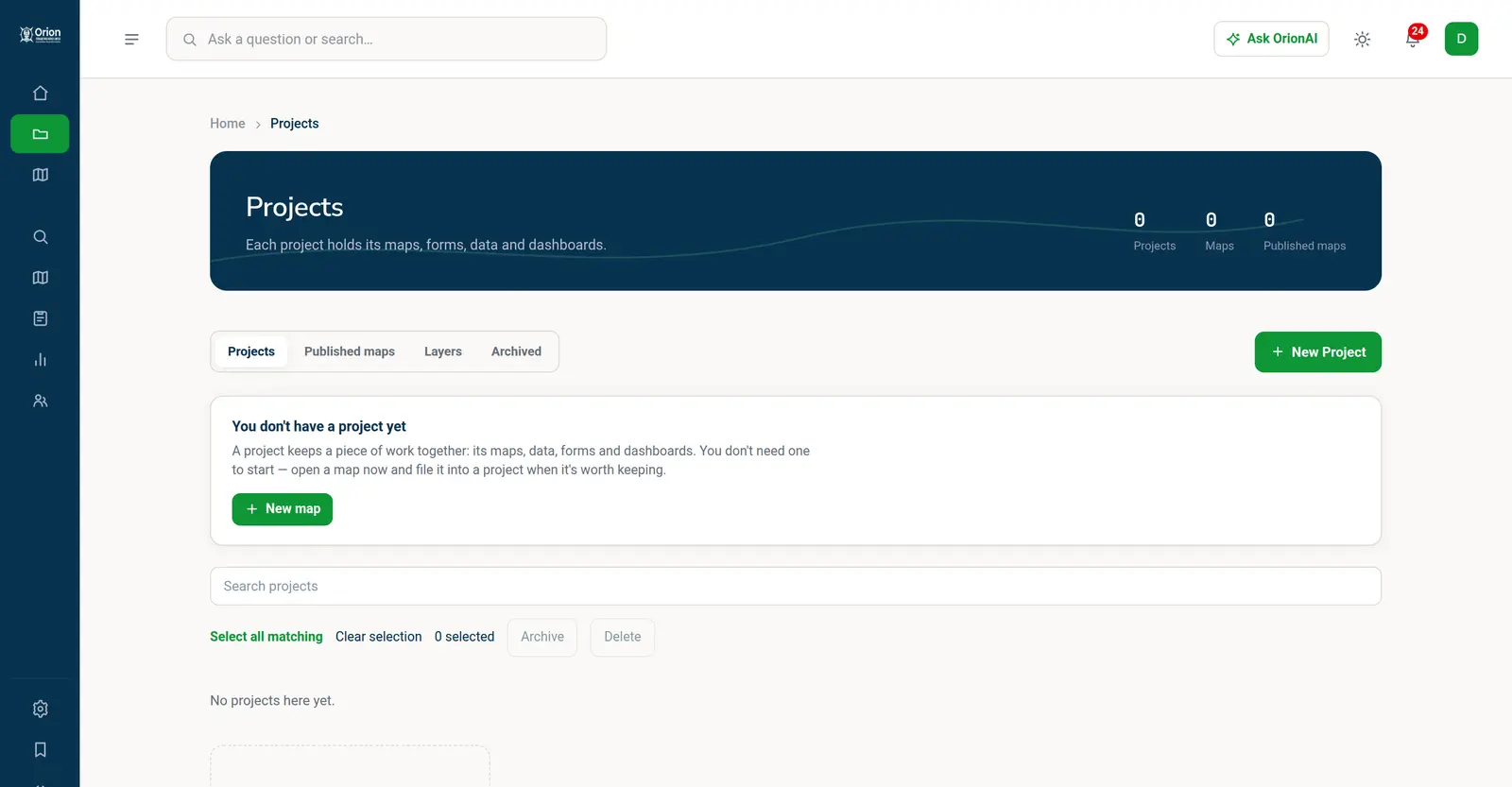
#The top bar
- The search box works two ways. Type a question and press Enter to ask Orion AI, or choose the catalogue option to search datasets.
- The theme button switches between light and dark.
- Your profile menu (your initials, top right) has your profile, cookie settings and Sign Out. Platform staff also see the admin dashboard here.
#Collapsing the sidebar
On a wide screen you can collapse the sidebar to icons using the arrows at its bottom, to give maps and tables more room. On a phone it becomes a menu you open when you need it.
Something missing or unclear? Tell us — we update the guide as the platform grows.